
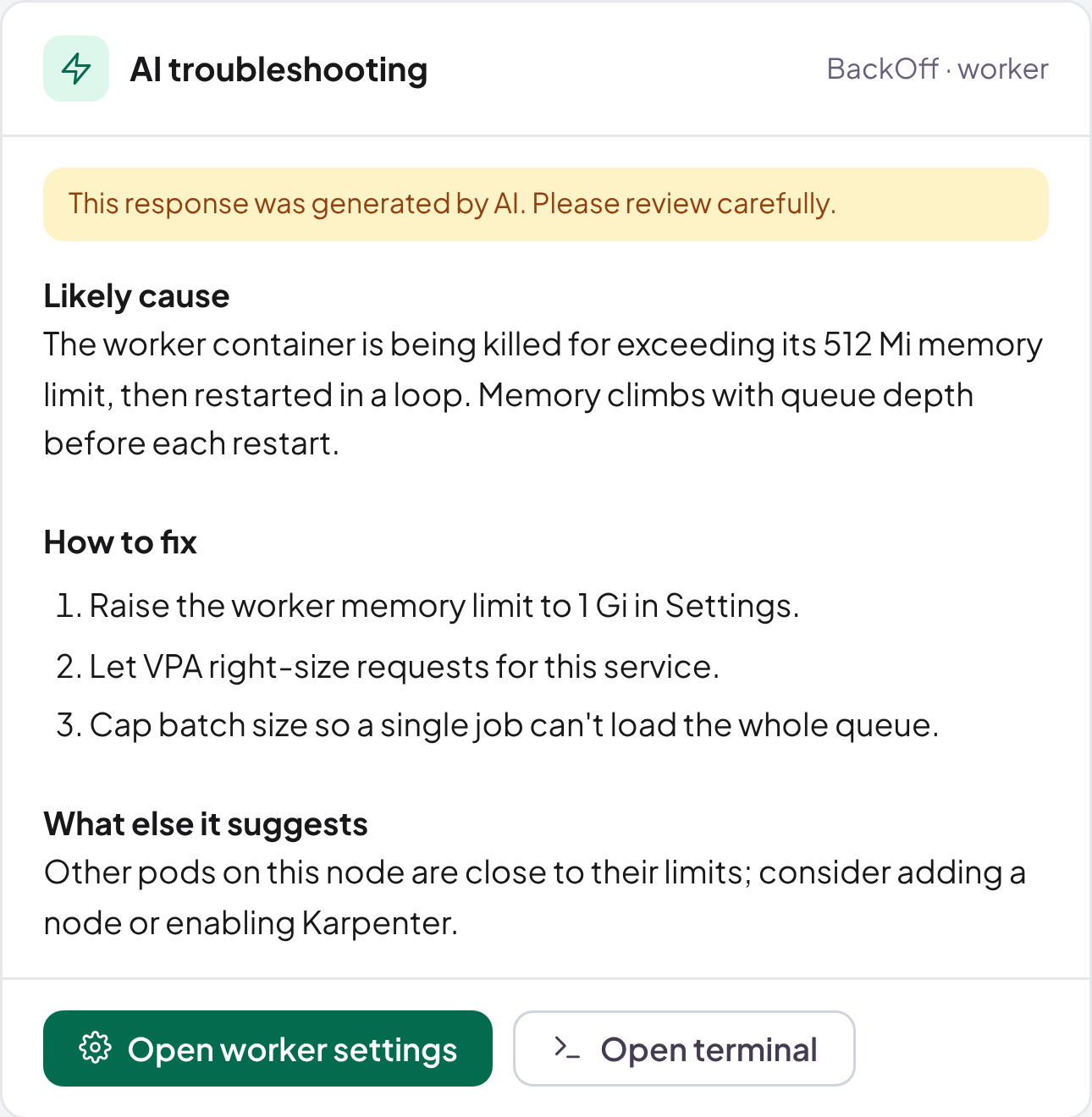
Every warning comes with its fix.
Shipfast AI reads the events, logs and metrics behind a warning and tells you what to change. It does the same for your cloud bill.
How it works
From warning to fix in one click.
01
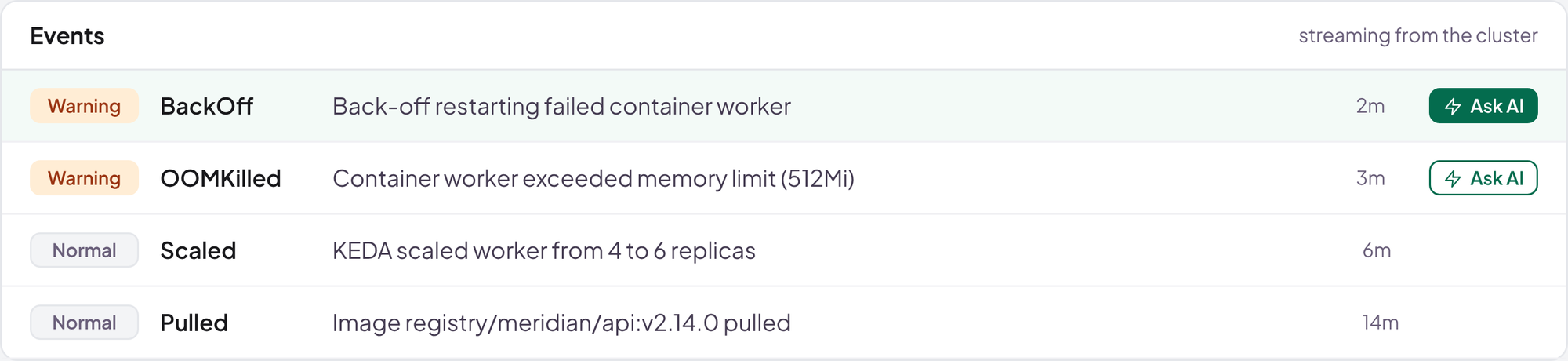
Click Ask AI
On any warning, cluster or app.
02
Context gathered
Events, logs, metrics and settings.
03
Cause and fix
Clear steps, marked as AI-generated.
Real Shipfast screen · sample data
Written for your role
One event. Three answers.
Pick a role to see the same warning explained.
BackOff · worker · client-portalWarning · 2m ago
Sample answers
Ask anything
Ask a follow-up. Get a straight answer.
Answers come from the live state of your clusters.
- What else is affected, and what to do first
- The fix, and where to make it
- Nothing changes without you
YouWhy does worker keep restarting?
Shipfast AIIt's being stopped for exceeding its 512Mi memory limit, then restarted in a loop. Raise the limit to 1Gi in the app's settings, or enable VPA.
YouIs anything else affected?
Shipfast AINode ip-10-0-1-23 also reported an out-of-memory kill, and document-search can't be scheduled. The cluster is short of memory: add a node or let Karpenter provision one.
Sample conversation
AI for cost
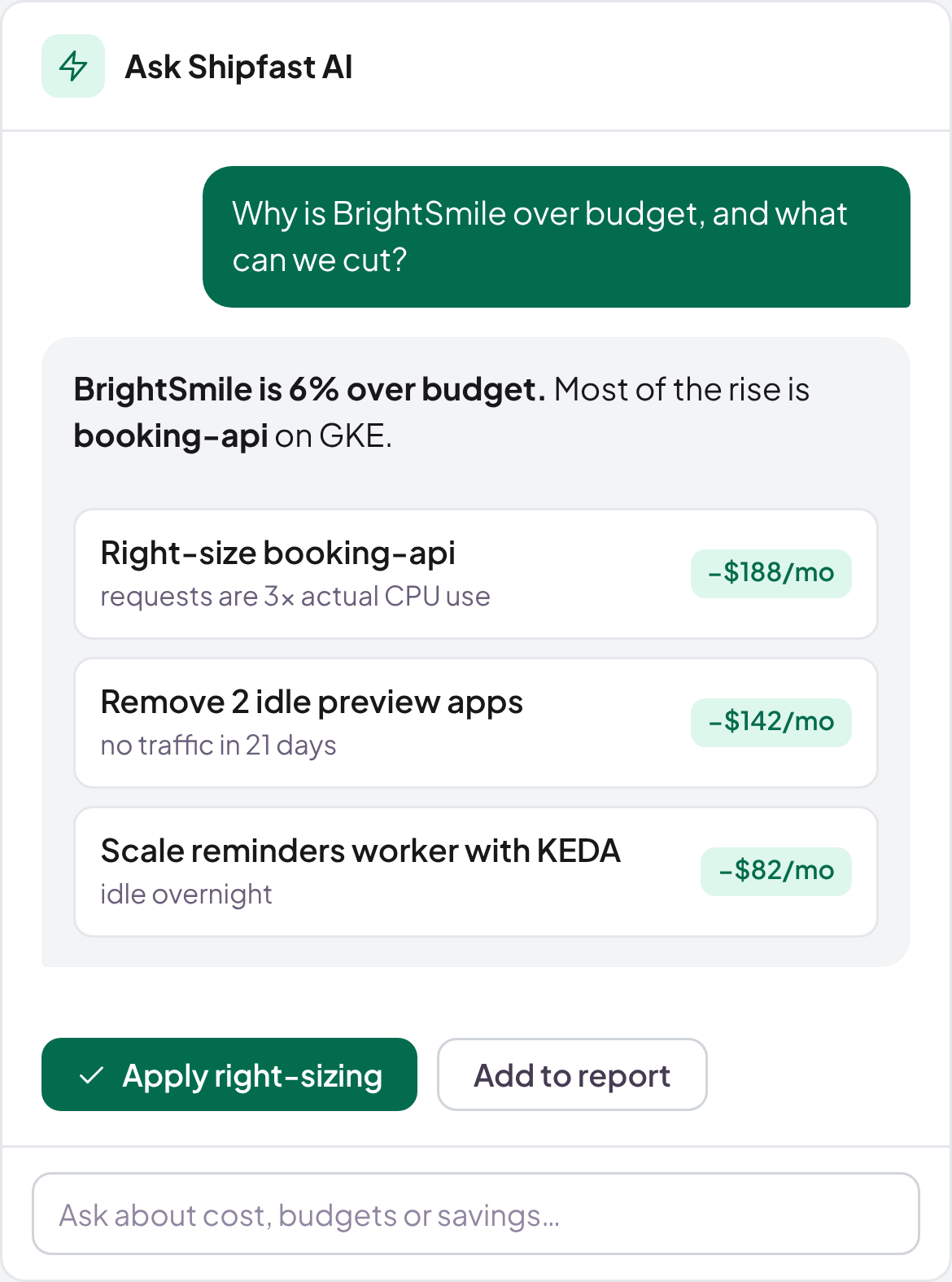
Ask why the bill went up. Get what to cut.
Ask about any client, app or budget.
- Right-sizing from real usage
- Idle apps and previews flagged
- Scale-to-zero with KEDA
Real Shipfast screen · sample data
Guardrails
Helpful, and honest about it.
Always labelled
Every answer marked as AI-generated.
Yours to apply
AI suggests. People decide.
Grounded in your data
Built from your cluster's own signals.
On the record
Every change logged with a diff.
Now onboarding pilot teams
Ready to ship faster?
Bring one app. We'll connect a cluster and ship a release with you.