
For developers
Ship from your CI. Debug in the browser.
Keep your pipeline. Get logs, metrics and a terminal without kubectl or a VPN.
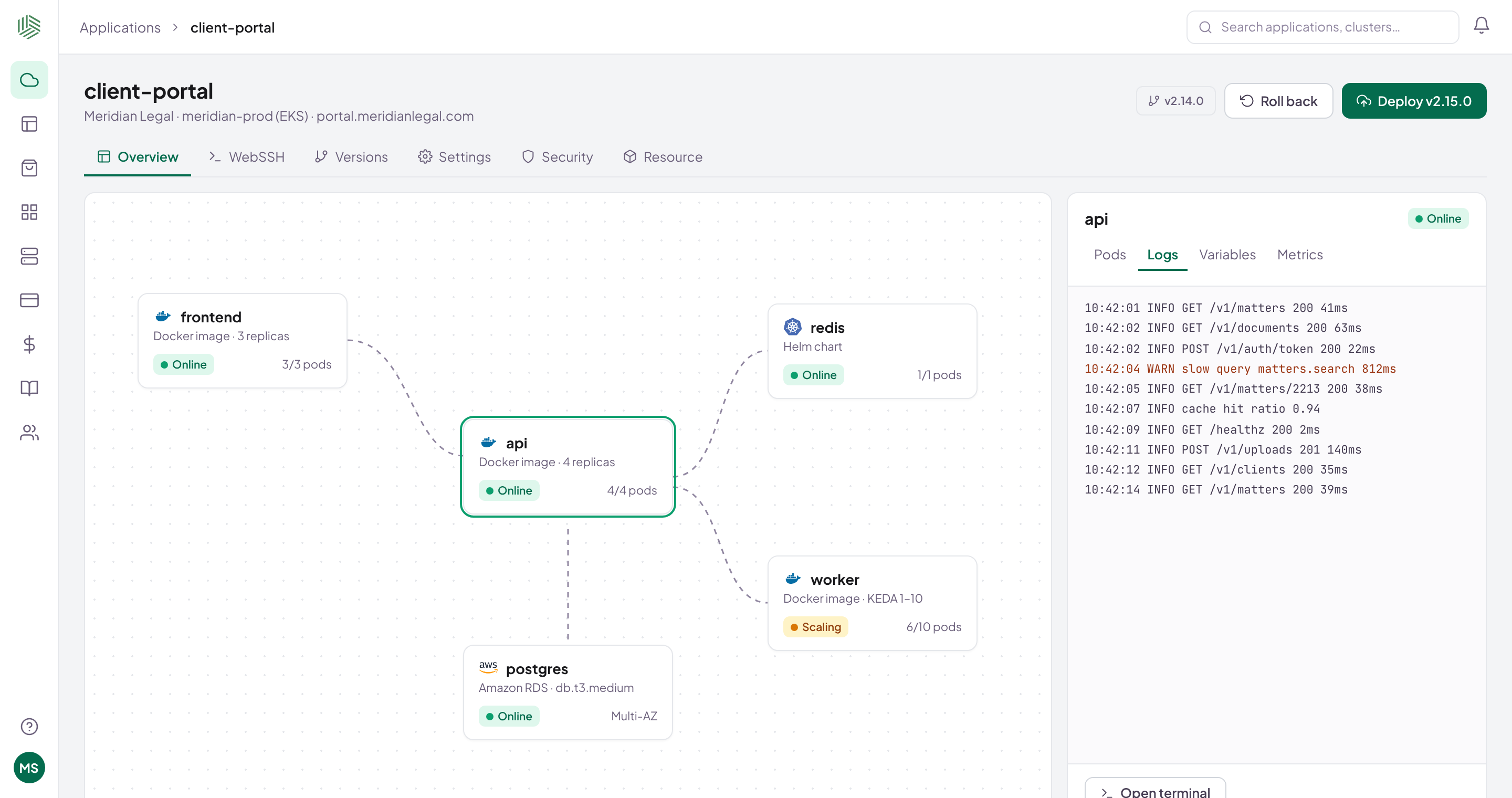
Real Shipfast screen · sample data
Sound familiar?
Shipping shouldn't need a cluster expert.
Waiting to deployOnly one person knows the scripts.
Debugging blindLogs need kubectl, kubectl needs a VPN.
Scary rollbacksUndo means rebuilding from memory.
Ship
One HTTP call from your pipeline.
Your CI's last step registers the new version.
- GitHub Actions, GitLab CI, Jenkins or any CI
- An API key per template
- Blue/green once healthy
# Last step of your CI pipeline (GitHub Actions, GitLab CI, Jenkins…)
curl --user "project12:$SHIPFAST_API_KEY" \
  --data-urlencode "projectId=12" \
  "$SHIPFAST_URL/api/versions/update?channel=Prod&name=main\
&build=$BUILD_ID&image=api&url=registry/meridian/api:2.15.0"
✓ version registered
Sample valuesFull guide in the docs
Debug
Logs, metrics and a terminal, in the browser.
Every service on one map, with your normal sign-in.
- Live logs, warnings highlighted
- A terminal into any pod
- AI explanation on any warning
# Browser terminal · worker · meridian-prod
/app $ ps aux --sort=-%mem | head -3
USER   PID %CPU %MEM COMMAND
app      1 38.0 97.4 node worker.js
/app $ cat /sys/fs/cgroup/memory.max
536870912   # 512Mi limit
IllustrativeNo kubectl, VPN or cloud console
Recover
A bad release? Roll back in a click.
Every revision kept. Go back in one click.
- Release history per environment
- Automatic certificates for custom domains
- Same on Kubernetes and VMs
Revisions · client-portalproduction
v2.15.0livetoday 14:02
v2.14.0previousRoll back in a click
v2.13.2revision2 weeks ago
v2.13.1revision3 weeks ago
IllustrativeSample history
What changes
Same people. Less toil.
Ship a version
BeforeAsk whoever has accessAfterCI registers it; approve and go
Read logs
Beforekubectl, VPN, context switchAfterOpen the app in the browser
Undo a release
BeforeRebuild from memoryAfterOne click to the last good revision
FAQ
Questions, answered.
Do I need to change my Dockerfile or CI?
No. Add one HTTP call to the end of your pipeline.
Can I get a shell in a container?
Yes. Open a terminal into any pod from the browser, if your role allows it.
Do I need kubectl or a VPN?
No. Logs, metrics, events and the terminal are all in the browser.
What if a release breaks something?
Roll back to an earlier revision in one click.
Now onboarding pilot teams
Ready to ship faster?
Bring one app. We'll connect a cluster and ship a release with you.