
Clusters, VMs and databases, on demand.
Create infrastructure in your own cloud accounts, or connect what you already run.
Create a cluster, or bring yours.
EKS, GKE or VKE with Terraform, or connect any cluster with one command.
- Connect AKS, k3s and on-prem or air-gapped clusters
- The agent dials out: no inbound ports or VPN
- KEDA, VPA, Karpenter and OpenCost installed for you
# Connect an existing cluster: copy the command from Shipfast
$ kubectl apply -f https://<your-workspace>/k8s/apply/<token>
# Installs the agent. It dials out to Shipfast: no inbound ports, no VPN.
✓ meridian-prod configured · first sync complete
Run apps on VMs. No Kubernetes needed.
Not every app needs a cluster.
- Deploy straight to VMs, on any cloud or on-prem
- Create Amazon EC2 from the portal; GCE and Azure coming
- Same releases, logs and alerts as Kubernetes
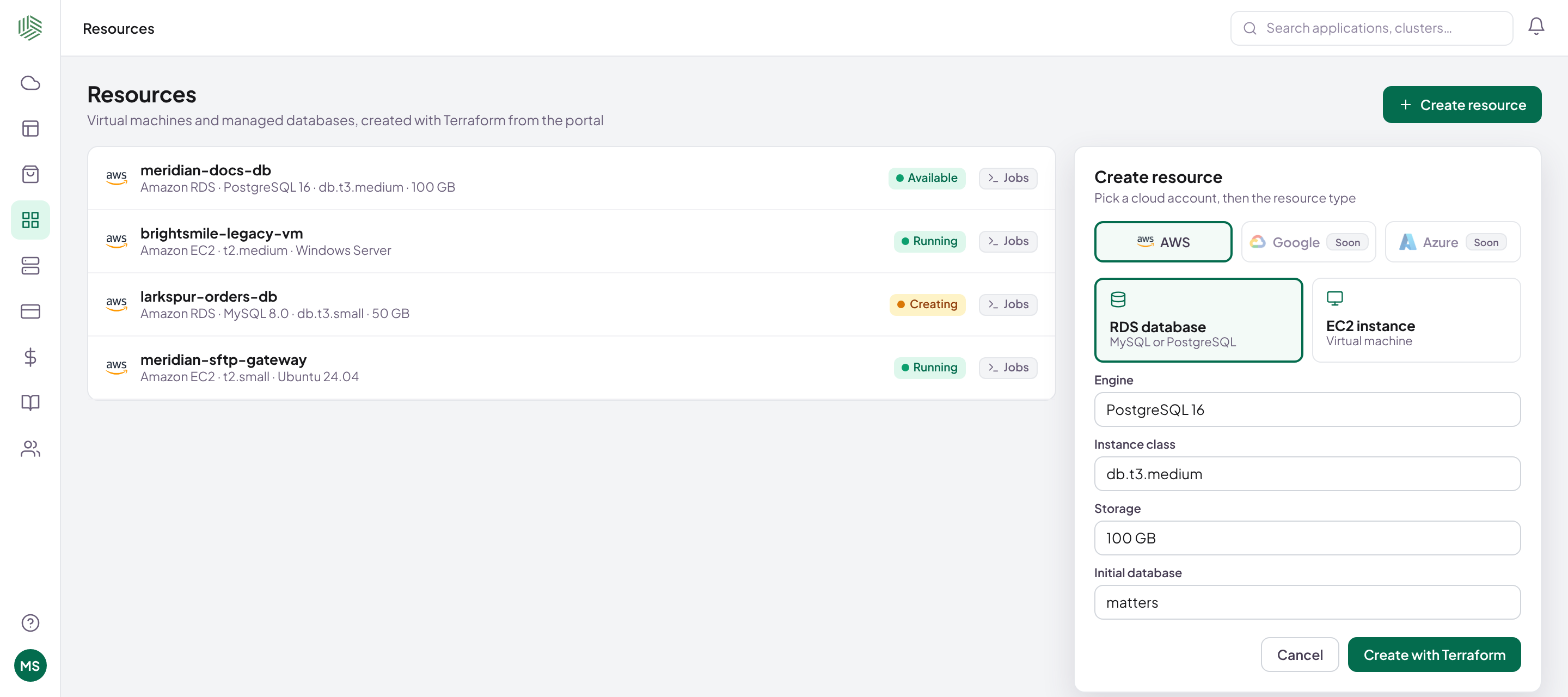
Managed databases, wired to your apps.
Amazon RDS for MySQL or PostgreSQL, linked to the apps that use it.
- Backups switched on from day one
- Tagged by client and app for cost reports
- Built with Terraform in your account
terraform init doneterraform plan 4 to add+ aws_db_instance.this (postgres 16, db.t3.medium)+ aws_db_subnet_group.this+ aws_security_group.db+ backup retention, tags: client=meridian app=docsterraform apply complete in 6m 12s
Every cloud, the same steps.
What Shipfast can create or connect on each provider.
| Provider | Create cluster | Connect cluster | VMs | Databases |
|---|---|---|---|---|
| AWS | EKS | ✓ | EC2 | RDS |
| Google Cloud | GKE | ✓ | Soon | — |
| Azure | — | AKS | Soon | — |
| Vultr | VKE | ✓ | — | — |
| On-prem and air-gapped | — | k3s and more | Yours | — |
| Oracle Cloud | Soon | Soon | Soon | Soon |
From cloud account to running app.
Questions, answered.
Where do the resources run?
In your own cloud accounts, on-prem or in air-gapped environments. Your provider bills you directly; Shipfast never marks it up.
Can I connect clusters I already have?
Yes. Run one command and the agent connects the cluster. It dials out, so nothing has to be opened inbound.
Do I need Kubernetes?
No. Shipfast can deploy apps straight to virtual machines. Use Kubernetes when you want it.
Are backups on by default?
Yes. Every environment Shipfast builds comes with backups switched on.
Ready to ship faster?
Bring one app. We'll connect a cluster and ship a release with you.