
Everything between an image and production.
Six capabilities, one console, on every cloud and on-prem.
01 · Provision
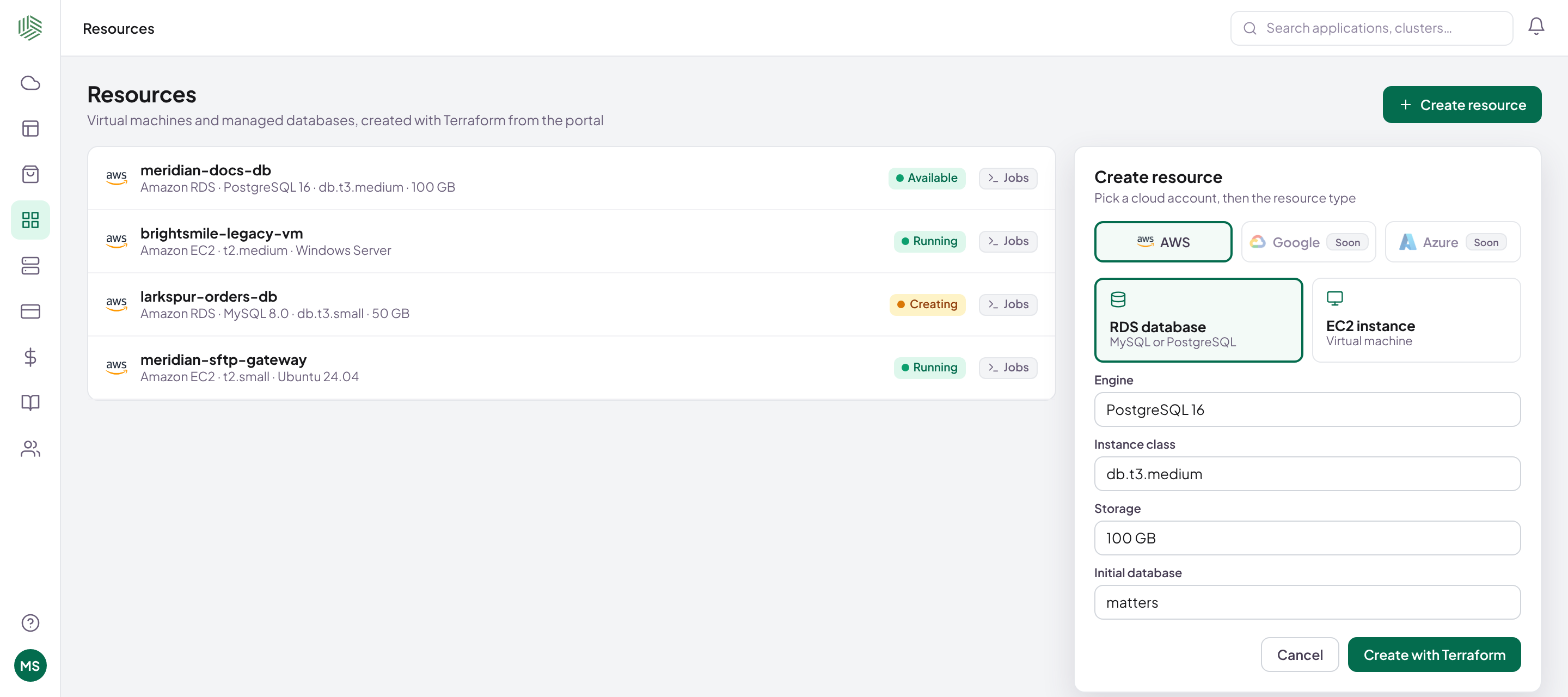
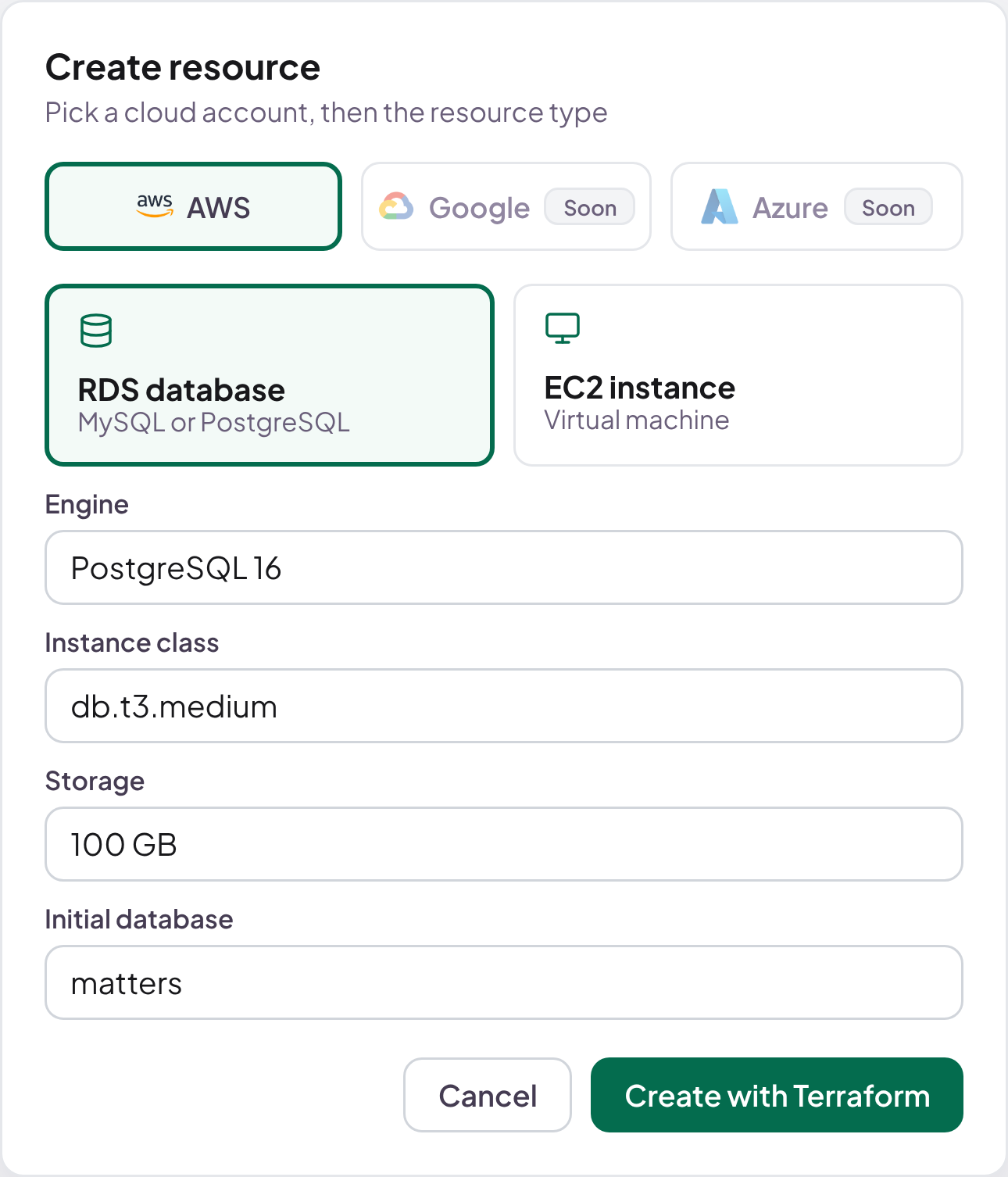
Clusters, VMs and databases, on demand.
In your own cloud accounts, from one portal.
- Deploy straight to VMs, no Kubernetes needed
- Create EKS, GKE or VKE, or connect AKS, k3s and on-prem
- Amazon RDS databases, with backups on
02 · Templates
Describe a stack once. Deploy it everywhere.
One recipe for every environment and team.
- Docker images, Helm charts and YAML together
- Variables per environment
- Synced with Git, shared through a marketplace
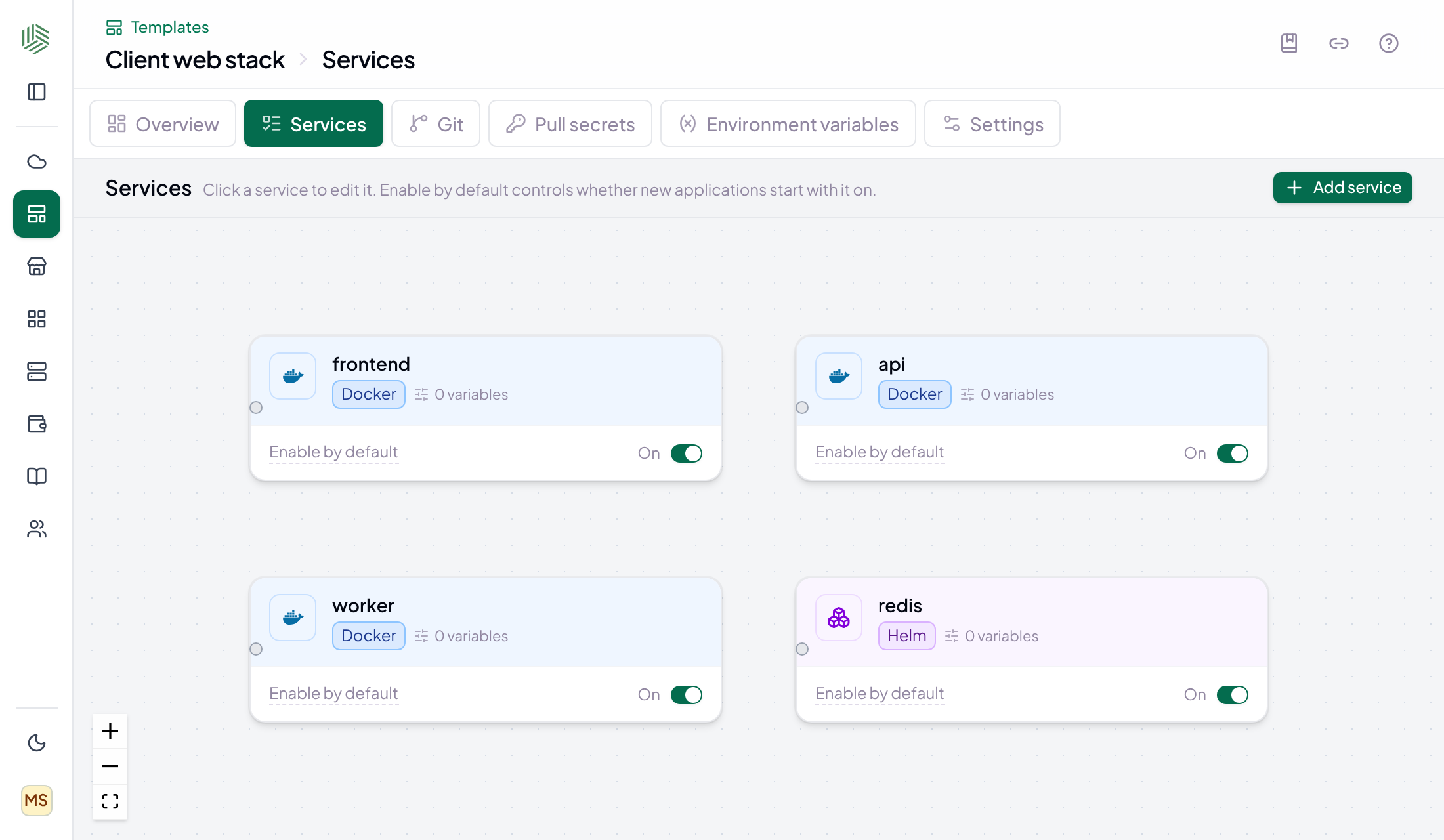
Real Shipfast screen · sample data
03 · Release
Ship safely. Roll back in a click.
Your CI builds the image. Shipfast takes it live, on Kubernetes or VMs.
Image builtRegisteredApprovedLive
Explore Release
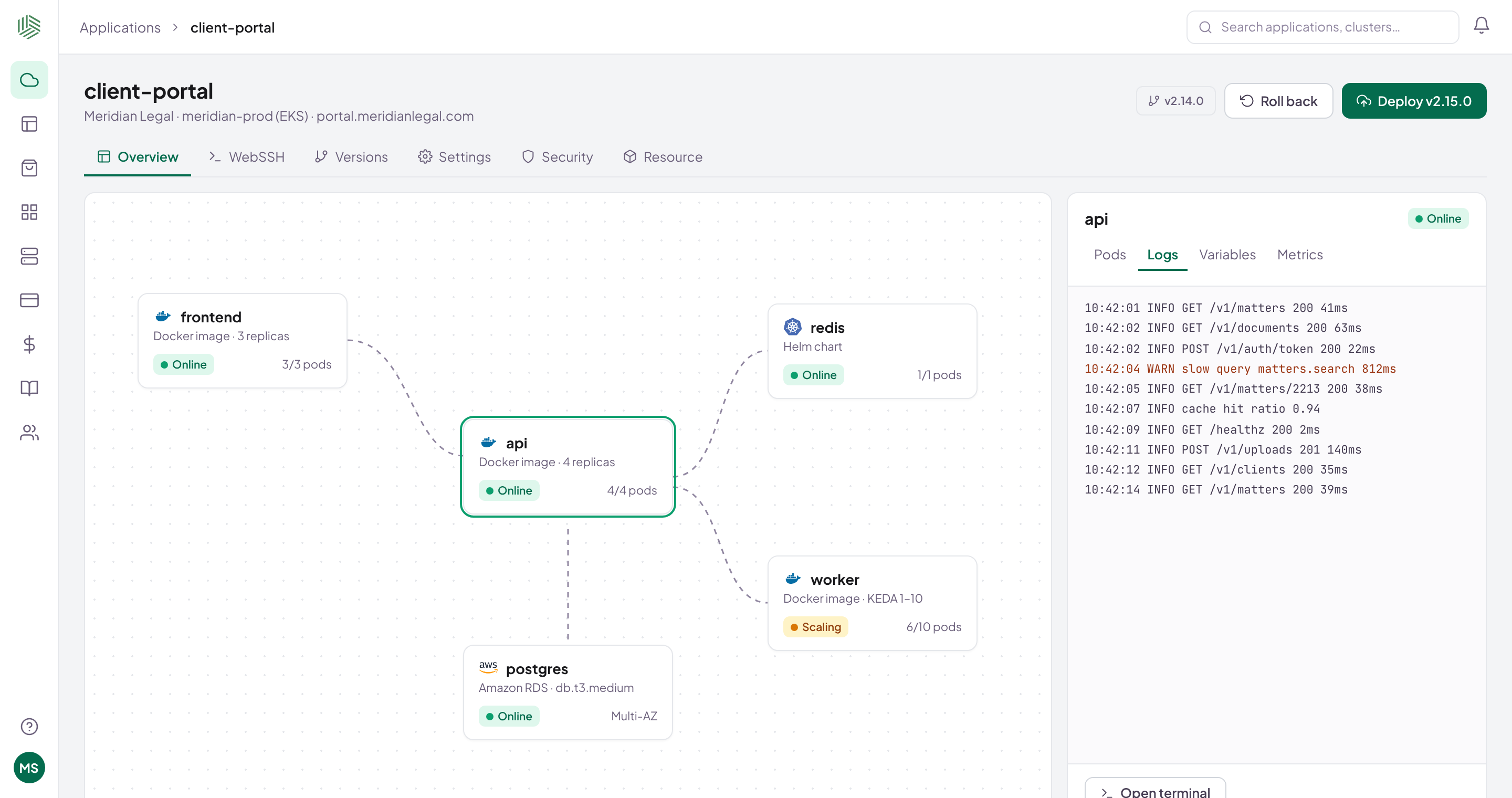
Real Shipfast screen · sample data
04 · Observe
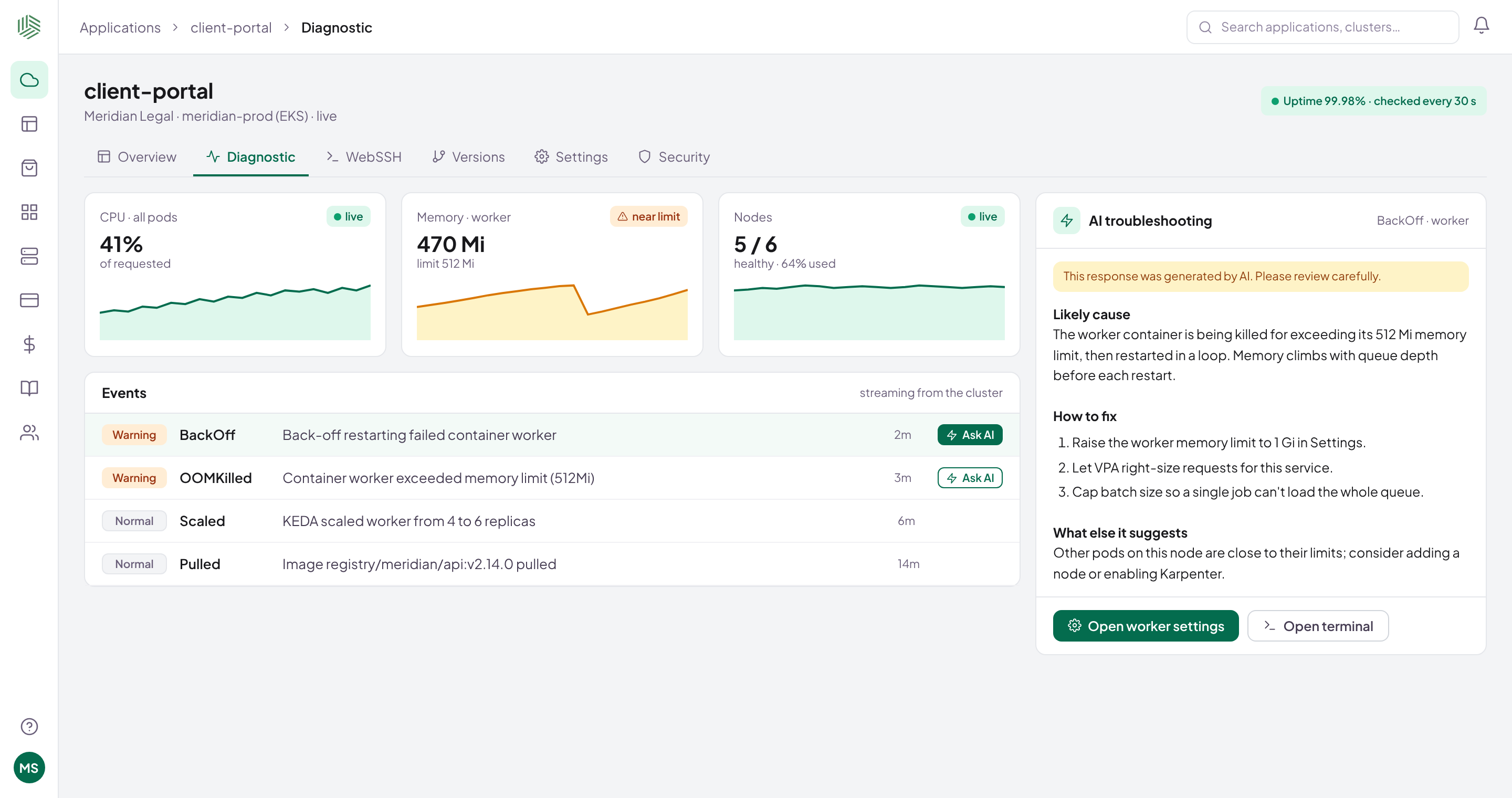
See it live. Fix it in the browser.
No kubectl, VPN or cloud console.
- Pod metrics every 20 seconds
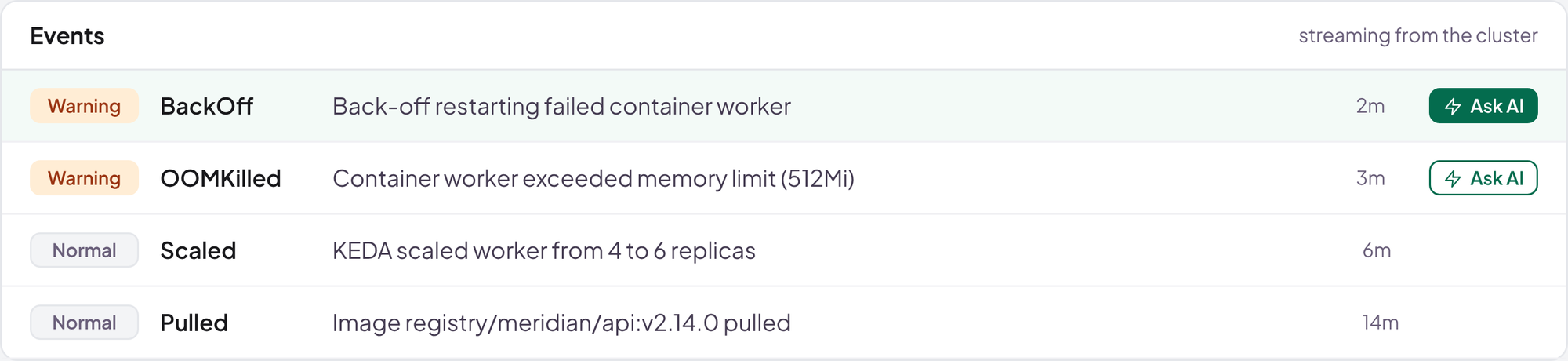
- Logs, events and a browser terminal
- AI troubleshooting on any warning
05 · Secure
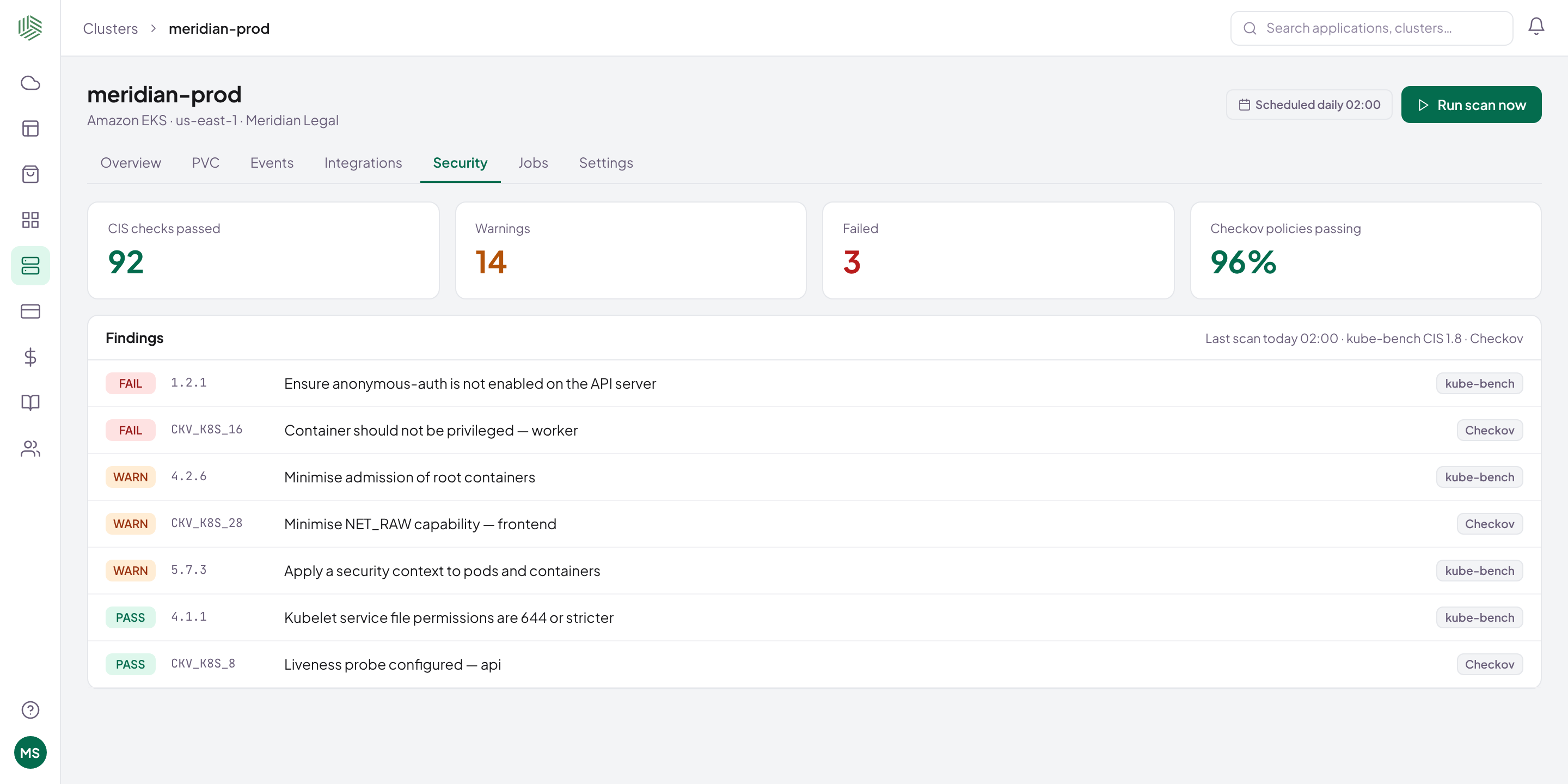
Security evidence on a schedule.
Scans, guardrails and a record of every change.
- CIS and Checkov scans per cluster
- Risky settings stopped before deploy
- Activity log with diffs
Real Shipfast screen · sample data
06 · Optimize
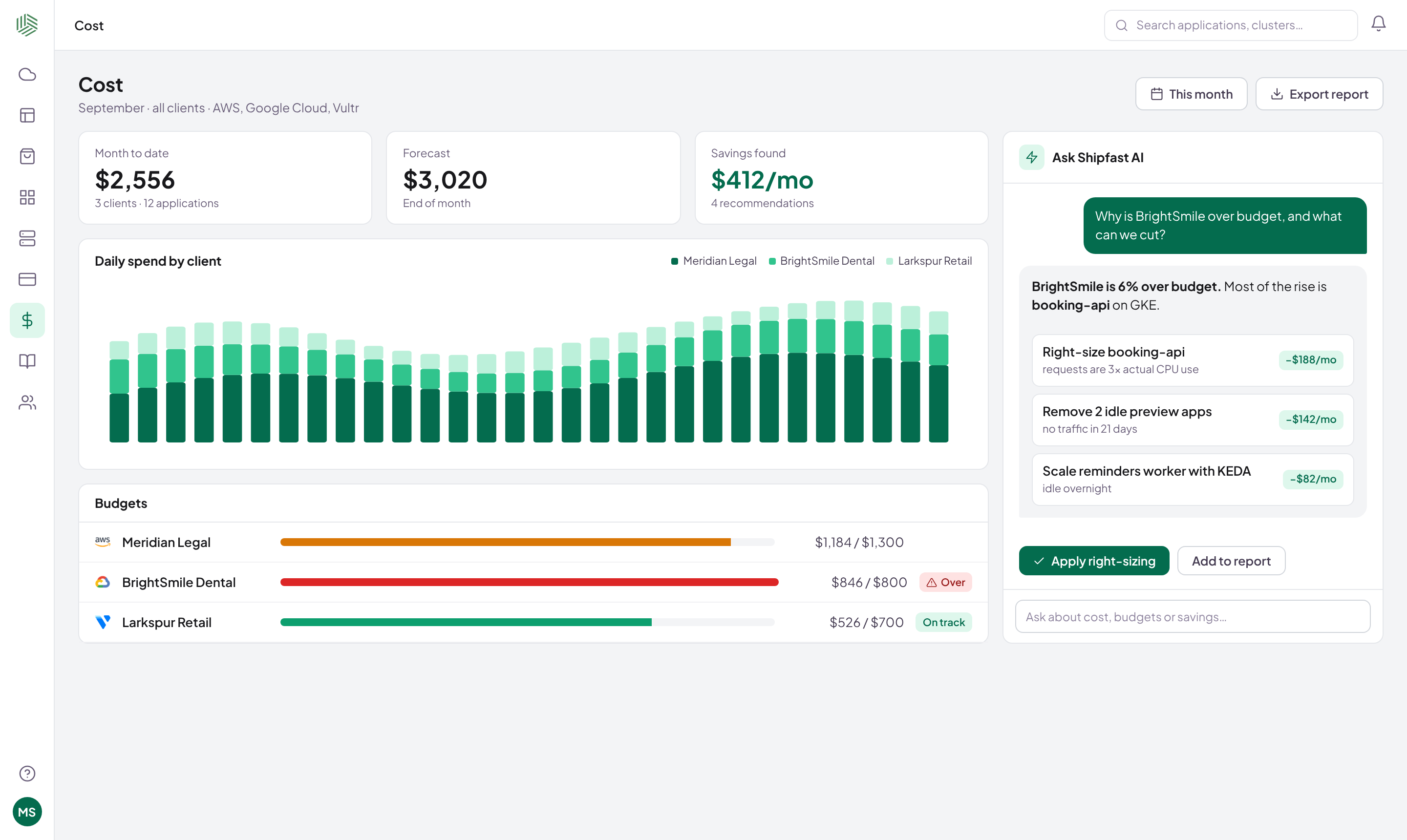
Know what every app costs.
From the cloud bill down to each app.
- Cost per app with OpenCost
- Budgets and alerts
- AI advice on what to cut
Real Shipfast screen · sample data
Architecture
How Shipfast fits in.
Behind your CI, in front of your VMs and clusters. Nothing opened inbound.
Your pipeline
Any CI
- GitHub Actions
- GitLab CI
- Jenkins
- Anything with HTTP
register version
Control plane
Shipfast
TemplatesReleasesMonitoringScansCostAI
SaaSSelf-hostedOn-prem
agent dials out
Your accounts
Where apps run
- VMs no Kubernetes
- EKS AWS
- GKE Google
- AKS Azure
- VKE Vultr
- k3s on-prem
At a glance
Every cluster, release and risk in one view.
Sample data
Live activityLive
Integrations
Works with what you run.
The open-source tools that do the heavy lifting, installed and managed for you.
 AWSCloud
 Google CloudCloud
 AzureCloud
 VultrCloud
 k3sOn-prem
 KubernetesAny cluster
 DockerImages
HMHelmCharts
TFTerraformProvisioning
GHGitHubSign-in · repos
KCKeycloakSSO
OCOpenCostCost
KBkube-benchCIS scans
CKCheckovPolicy scans
KSkubesecDeploy checks
KEKEDAAutoscaling
VPAVPARight-sizing
KPKarpenterNodes
Run it your way
SaaS, self-hosted or on-prem.
Shipfast cloud
We run Shipfast. You run your apps.
Sign in and connect a cluster. Your workloads stay in your accounts.
Self-hosted
Shipfast inside your walls.
The control plane on your own cluster, on-prem or air-gapped.
Now onboarding pilot teams
Ready to ship faster?
Bring one app. We'll connect a cluster and ship a release with you.