
Cloud bills are organised around resources: instances, volumes, load balancers, data transfer. Kubernetes packs many apps onto the same instances, so the bill alone cannot tell you what any one app costs. Shipfast closes that gap with OpenCost and one simple rule.
The rule: one namespace per app
Every application Shipfast deploys gets its own Kubernetes namespace, created by Shipfast. Nobody has to remember to add labels, and nobody can forget. That one rule makes cost allocation reliable, because OpenCost can allocate cost by namespace out of the box.
How OpenCost allocates cost
OpenCost is an open-source CNCF project that runs inside the cluster. Shipfast installs and manages it for you. For each namespace it measures what the workloads request and use, and prices that against the cost of the nodes they run on:
- CPU and memory: the larger of what a pod requested and what it used, priced at the node's hourly rate.
- Storage: persistent volumes, priced by size and class.
- Network and load balancers, where the provider exposes their price.
Because requests count, an app that reserves four cores and uses one still pays for four. That is fair: nobody else can use those cores. It is also the most common source of savings, which we will come back to.
The costs that belong to nobody
Some cost does not belong to any single app: idle capacity on half-empty nodes, system namespaces such as monitoring and ingress, and the cluster's control plane fee. Hiding these makes per-app numbers look smaller than the bill, so Shipfast shows them separately as shared cost. Report it as its own line, or agree with your finance team how to split it across apps.
Checking against the real bill
In-cluster numbers are estimates based on list prices. Shipfast also reads the billed cost from AWS, Azure and Google Cloud, so you can compare the two side by side and see discounts, credits and anything that runs outside Kubernetes. On AWS, resources Shipfast creates are tagged by client and application; activate those tags as cost-allocation tags in your AWS account and the bill splits the same way.
From numbers to savings
Once every app has a cost, the waste becomes visible. The three findings we see most often:
- Over-requested services: requests set high years ago and never revisited. Right-sizing them is usually the biggest saving.
- Idle environments: preview and test apps that nobody has opened in weeks.
- Always-on workers: queue workers sized for the busiest hour and running all night. Scaling them with KEDA, down to zero when the queue is empty, removes most of their cost.
Shipfast's AI turns these into specific suggestions with the monthly saving for each, and budgets per app or client warn you before month end, not after.
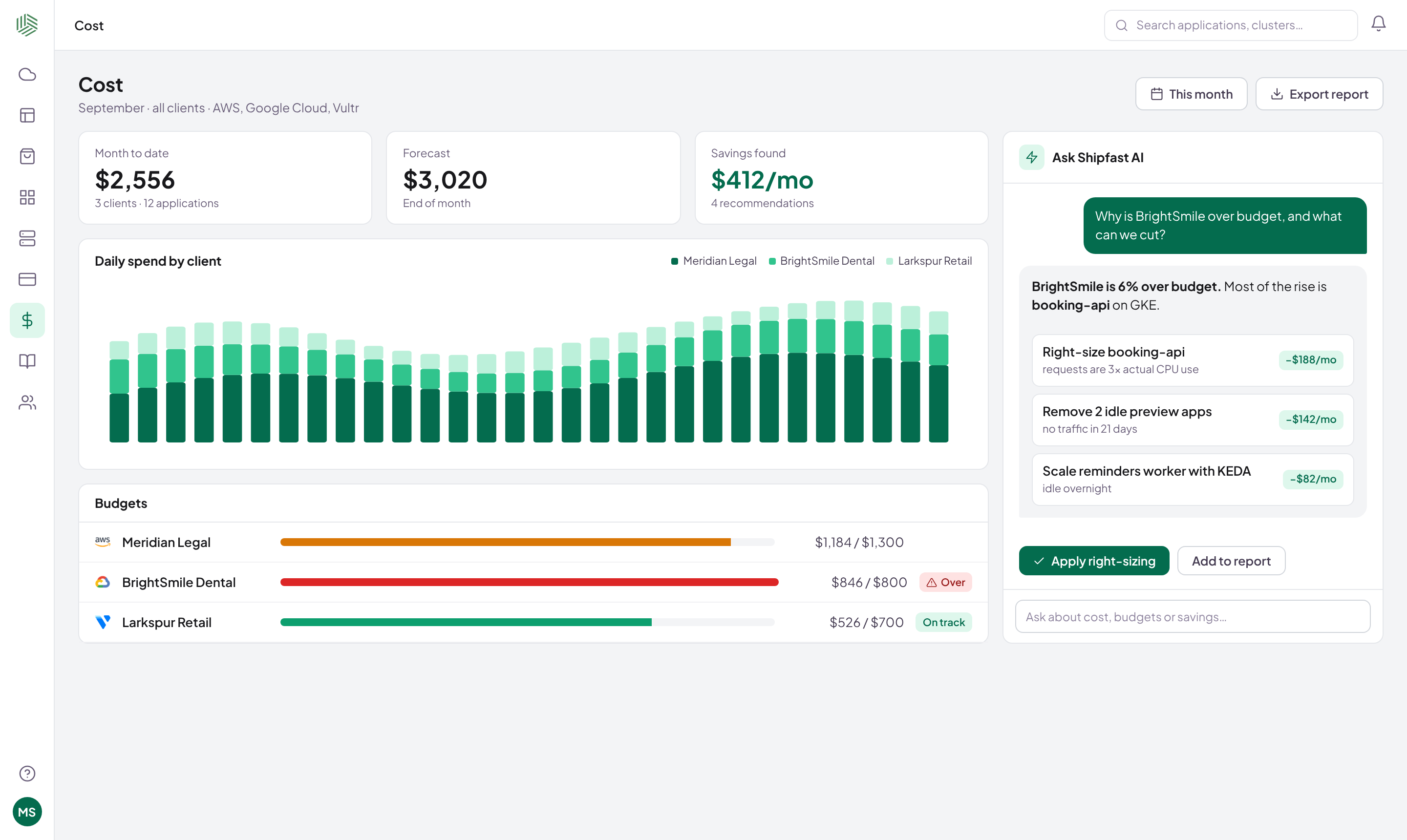
Cost per app stops being a spreadsheet exercise and becomes a number you can see every day. Read more about Optimize.