
Open the events for any busy Kubernetes cluster and you will see a steady stream of warnings: BackOff, OOMKilled, FailedScheduling, Unhealthy. Each one is accurate. Almost none of them tells you what to change.
So the work starts. Someone reads the event, opens the pod description, pulls the previous container's logs, checks node capacity, searches the error, and finally asks the person who built the service. On a good day that takes twenty minutes. At 2 a.m., for an engineer who has never seen the service before, it takes much longer.
The warning is not the problem. The gap after it is.
Take a common pair of events. A worker container shows BackOff: restarting failed container. A minute earlier the same pod logged OOMKilled. Read together, they say one thing: the container keeps exceeding its memory limit and Kubernetes keeps restarting it, waiting a little longer each time.
Reading them together is the hard part. The events arrive separately, the memory limit lives in the deployment spec, and the reason memory grows lives in the application. The answer needs all three.
A useful alert answers three questions: what happened, why, and what should I change?
What a useful answer contains
When you click Ask AI on an event in Shipfast, the answer is built from the context around that event, not from the event text alone:
- The related events on the same pod and node, so an
OOMKilledand aBackOffare read as one story. - Recent logs from the affected container, including the run before the restart.
- Pod and node metrics, which Shipfast collects every 20 seconds, to show whether memory climbs steadily or spikes.
- The app's settings: requests, limits and replicas, as defined in its template.
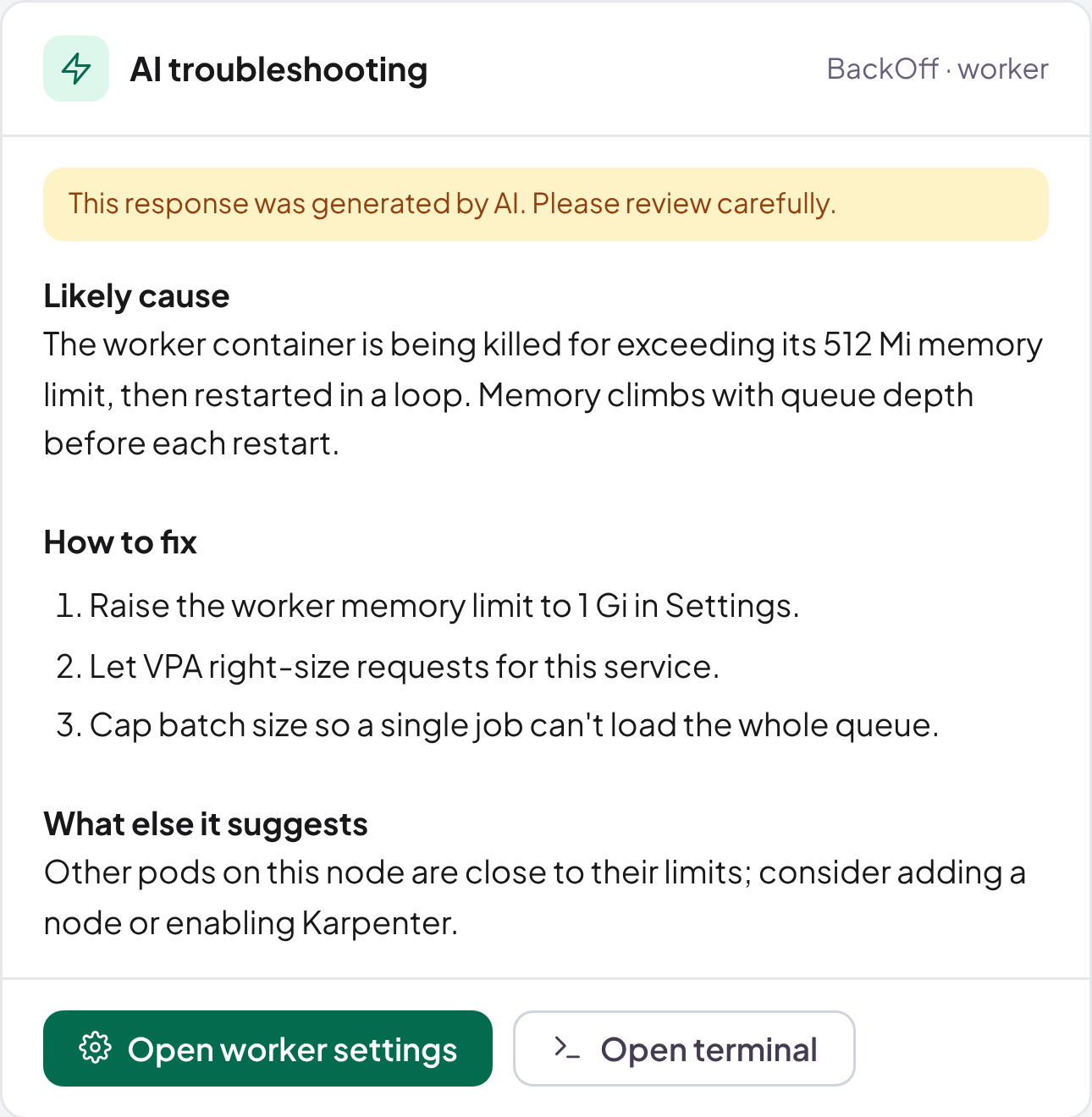
The answer comes back in three parts: the likely cause, the steps to fix it, and anything else in the cluster worth a look. For the worker above, that might be: raise the memory limit to 1Gi, let VPA right-size the requests, and cap the batch size so one job cannot load the whole queue. It might also point out that the node is close to its own memory limit, which is the next incident waiting to happen.
Written for the person reading it
The same warning means different things to different people. A developer needs the setting to change. An SRE needs to know whether the cluster is short of capacity. An engineering manager needs to know whether customers are affected and whether it costs money to fix. Shipfast writes the answer for the reader's role, so a manager is not handed a cgroup path and a developer is not handed a summary with no setting in it.
Honest about what it is
An AI answer is a well-informed suggestion, not a rule. Every answer in Shipfast is marked as AI-generated, and nothing changes in your cluster until a person with the right role makes the change. That change then appears in the activity log with a diff, like any other.
We think that is the right balance. The AI does the reading and connecting that takes humans the longest, and people keep the decisions.
What this changes day to day
- The first person to see a warning can usually act on it, instead of waiting for the person who built the service.
- Incidents start with a hypothesis, not a blank page.
- Fewer warnings are ignored, because each one arrives with something to do.
Warnings were never the problem. Unanswered warnings are. See how Shipfast AI works, or book a demo and bring a warning you have been staring at.