
Most teams start with one environment and copy it when they need another. The copy drifts. Someone raises a memory limit in production during an incident and never brings it back to staging. A new service is added to staging and forgotten in production. Six months later, "it worked in staging" means very little.
Shipfast separates two things that copying mixes up: the recipe for an app and the values each copy of it uses.
Template and application
- A template is the recipe: which services make up the app, where their images come from, and how they are configured. It can mix Docker images, Helm charts and plain Kubernetes YAML.
- An application is one running copy of a template, on a cluster or a VM, with its own values: replicas, memory, domain, database.
Staging and production become two applications from the same template. They cannot drift in structure, because there is only one structure.
Variables carry the differences
Everything that should differ between environments becomes a variable with a default in the template. Each application overrides only what it needs:
| Variable | Staging | Production |
|---|---|---|
API_REPLICAS | 1 | 4 |
MEMORY | 512Mi | 1Gi |
LOG_LEVEL | debug | info |
Secrets are kept out of template files and set per application. The template stays safe to share and to keep in Git.
Change once, see who it affects
When the recipe changes, say a new worker image or an extra sidecar, you change the template once. Before it goes out, Shipfast lists every application the change affects, so you know whether you are touching one staging app or forty client environments. Production applications can require approval, and every change lands in the activity log with a diff.
A worked example
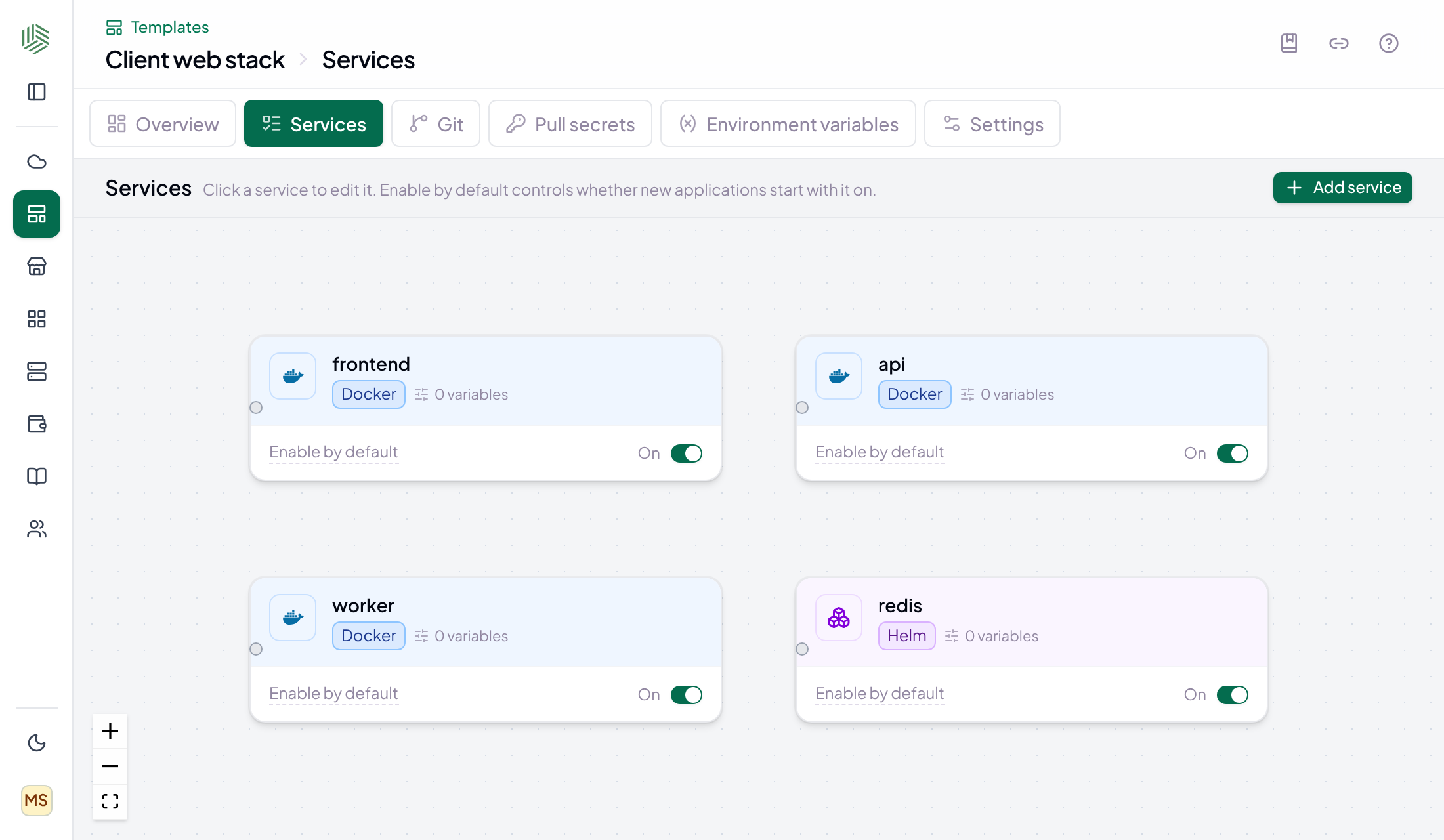
- Create a template called Client web stack with three Docker services (frontend, api, worker) and a Redis Helm chart.
- Add variables for replicas, memory, log level and domain, with sensible defaults.
- Create client-portal-staging on a small cluster and client-portal on production, overriding the values that differ.
- Wire your CI to register new versions. Both applications pick up the same image; production waits for approval.
- Six months later, add a new service to the template. Shipfast shows both applications as affected, and you roll it out to staging first.
Beyond environments
The same idea scales past staging and production. A managed service provider can describe a client stack once and run it for every client. A platform team can publish a golden-path template to the marketplace and let product teams create their own applications from it. Read more about Templates.