
The CIS Kubernetes Benchmark is a long list of configuration checks published by the Center for Internet Security. kube-bench, an open-source tool from Aqua Security, runs those checks against a cluster and reports each one as pass, fail or warn. Shipfast runs kube-bench on a schedule for every cluster and keeps the results.
It is one of the most useful pieces of evidence you can give an auditor or a client. It is also narrower than many people assume.
What it checks
The benchmark is about how the cluster itself is configured:
- Control plane: API server flags such as disabling anonymous authentication, audit logging, and admission plugins.
- Worker nodes: kubelet settings and the permissions on its configuration files.
- etcd: encryption and access to the cluster's data store.
- Policies: role-based access, service accounts, and pod security settings.
On managed services such as EKS, GKE and AKS, the provider runs the control plane and you cannot change its settings. Use the provider-specific variant of the benchmark, which focuses on what you control: nodes, policies and workloads.
What it doesn't check
- Your application code. A perfectly configured cluster can run an app with an injection flaw. That needs static and dynamic application testing, or a penetration test.
- Vulnerable packages in images. Known CVEs in base images and libraries need an image scanner.
- Runtime behaviour. The benchmark is a snapshot of configuration, not a detector of what is happening right now.
- Every workload setting. Some risky settings live in individual manifests rather than cluster configuration.
Closing some of the gaps
Shipfast adds two checks alongside kube-bench. Checkov scans configuration against its own policy library. kubesec checks each template when it is rendered, so settings such as privileged containers are caught before they reach a cluster at all. Together they cover cluster configuration and workload configuration. Application code and image vulnerabilities still need their own tools.
Reading the report
- Fix the failures first. They are concrete and usually quick.
- Read the warnings. Many are "check this manually" items. Decide on each one and write down why.
- Watch the trend. A scheduled scan that stays green over months says more than one clean report the week before an audit.
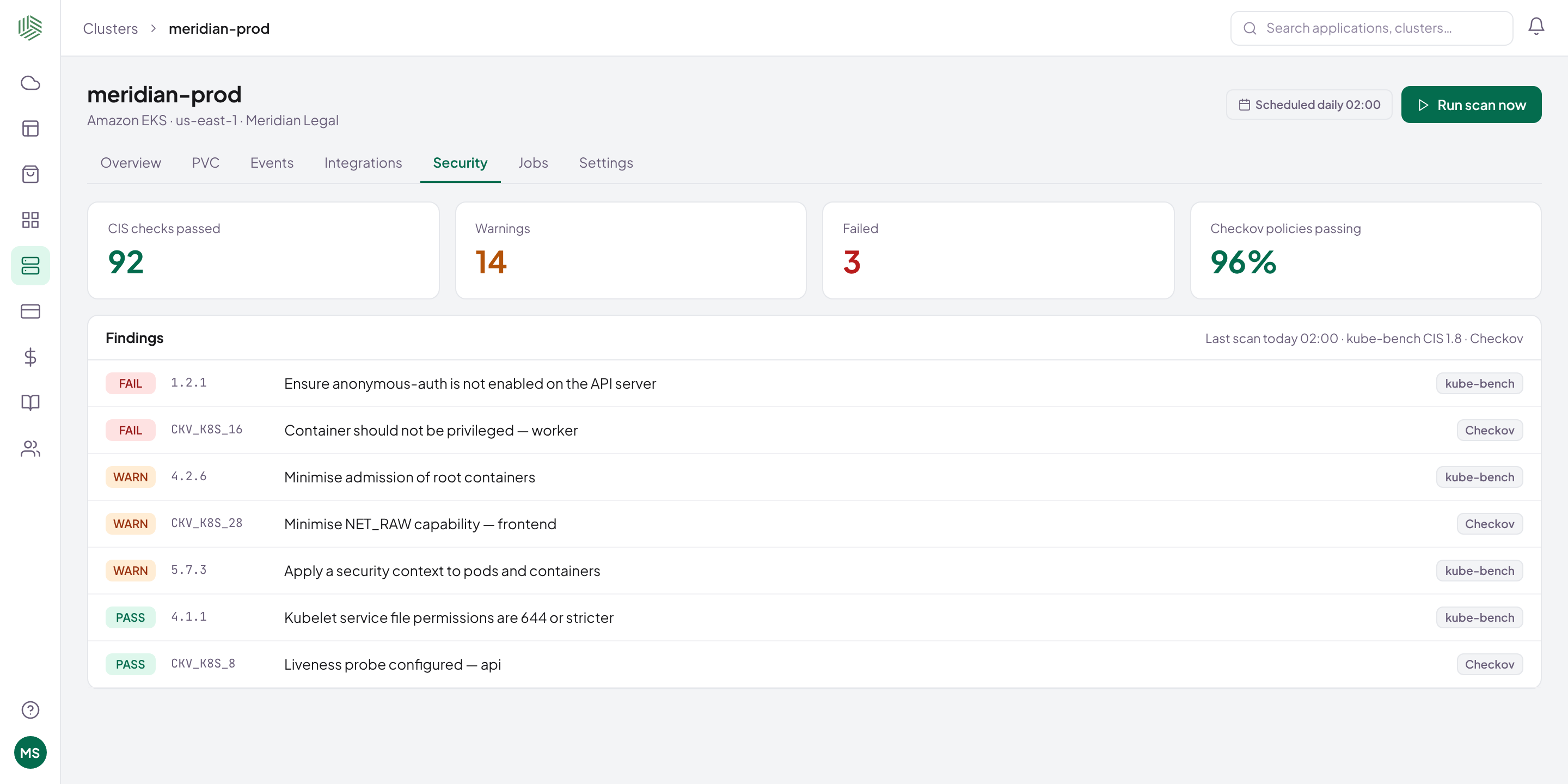
A CIS report answers one question well: is this cluster configured safely? Answer the others with the right tools, and keep the evidence for all of them. Read more about Secure.